
How do I find the model of my laptop?
Locating Your Laptop’s Model Number Using System Information
If your laptop is functioning normally, the easiest and most reliable way to identify its model number is by using the System Information tool built into Windows. Over time, physical stickers on older laptops can fade or become unreadable, making this method the most dependable option for many users.
This approach works perfectly on all modern Windows operating systems, including Windows 7, Windows 8.1, Windows 10 and Windows 11.
- 1Head on to the home page of your laptop.
-
2Click
 button and get on to 'Run' menu. You can also do this by using the shortcut key ⊞Win + R.
 - 3Type in "msinfo32" without quotes.
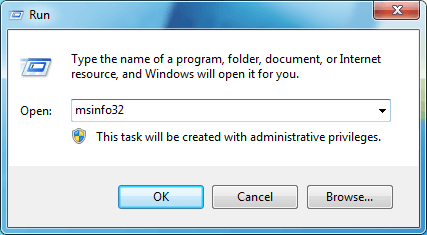
- 4Click OK. This will open the Windows System Information utility, which contains details about your specific model of laptop (such as Latitude E6520 for Dell Laptop).
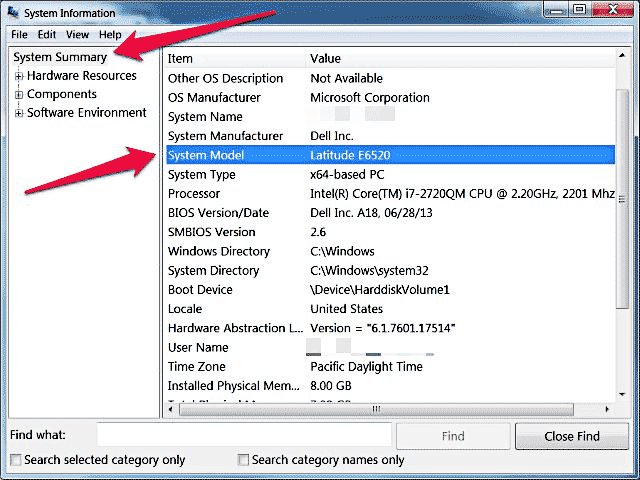
- 5Find and write down the "System Model" number.